How does Lightning adaptive page cache pregeneration works?
Lightning uses adaptive page cache pregeneration to ensure optimal cache coverage based on visitor activity. Rather than pre-generating the entire site at once, it prioritizes content based on user behavior.
The Pregeneration Logic
- Initial Wave: When the cache is cleared, Lightning immediately starts pre-generating pages linked directly from the homepage (indicated by a green progress bar).

- Second Wave: Once the first wave is complete, the system generates pages linked from the previous set. This covers all content up to "two clicks" away from the homepage.
- Visitor-Driven: When a user visits a specific page, Lightning begins pre-generating links found on that page (two clicks deep). If the server is fast enough, the next page the user clicks may already be cached by the time they finish reading the current one.
Performance & Resources
Single-Threaded Efficiency: Pregeneration runs in a single thread, preparing only one page at a time. This prevents server overload and keeps the site responsive.
Smart Prioritization: If a background pregeneration task is running and a real visitor opens a page, the background task stops immediately to prioritize generating the cache for the active visitor.
Resource Consumption: This approach allows the shop to serve cached pages most of the time while maintaining moderate server resource usage.
Handling Variations: please note that page cache variations depends on your shop’s configuration and Lightning settings. Preneration is done for specific variation of the current visitor (not all at once). Variations may include:
Languages & Currencies
Device types (Desktop, Mobile, Tablet)
Customer Groups
Estimating Generation Time Lightning does not offer a "Generate All" button, but consistent traffic will eventually cache most of your site. To estimate the total time required for full coverage:
Formula: (Total Pages × Generation Speed) × Variations
Example:
Pages: 24,000
Speed: 0.3 seconds per page
Variations: 6 (3 languages × 2 device types)
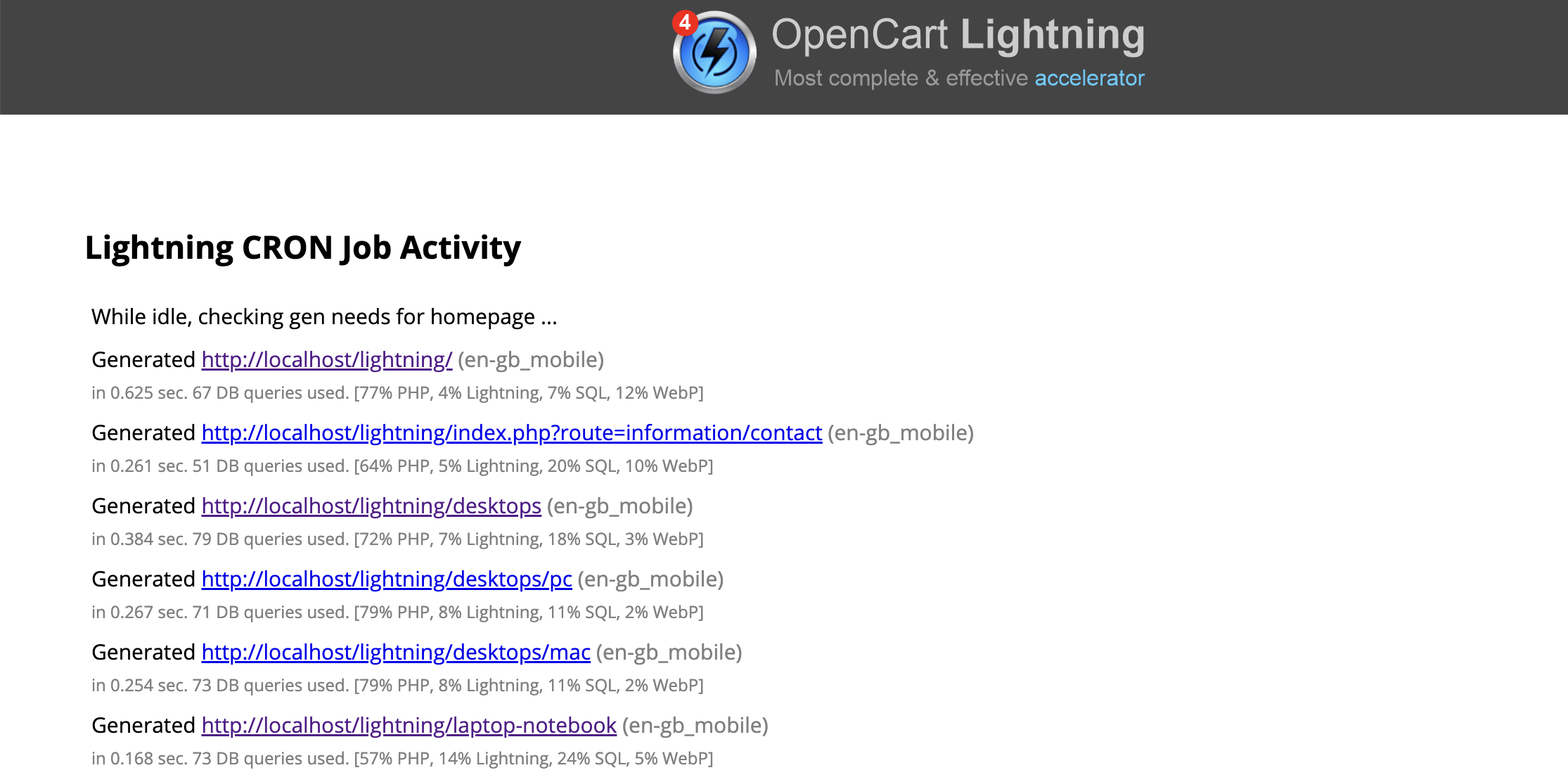
If you have Lightning CRON job configured you may see how the pregeneration works clicking at Tools -> Lightning CRON Job Activity: